Unlock Pro-Level Production with Pro Tools for Creators
I am proud to announce that I am now offering this course, which I have only previously offered to production companies on both sides of the Atlantic, to the wider world.
Let me share some of my most valuable insights into using Pro Tools to help you create the perfect audio experience for your listeners. Save time, save money, create great workflow processes and learn to use arguably the best DAW in the business from a Pro Tools Certified professional, award-winning (I might add – not that it matters, it’s all just fluff) working sound designer and engineer.
Creating content isn’t just about hitting “record” and sharing your thoughts—it’s about delivering clear, well-balanced audio that engages your audience from the first second to the last. Whether you’re an experienced producer looking to upskill or a content creator new to wanting to learn all about the most powerful digital audio workstation available, Pro Tools for Creators is designed to give you a deep, working knowledge of the industry’s leading Digital Audio Workstation (DAW).
Why Pro Tools for Creating Content?
- Industry Standard: Pro Tools is used in top recording studios and broadcast environments worldwide. When you master Pro Tools, you’re working with the same toolset trusted by major music producers, film mixers, and sound designers.
- Efficient Workflow: Editing interviews, layering music, and fine-tuning sound design becomes second nature with Pro Tools’ powerful editing tools, automation features, and intuitive shortcuts.
- Consistent Quality: High-level mixing and loudness control are crucial for a professional-sounding content. Pro Tools’ advanced processing and built-in plugins help you easily maintain broadcast-quality audio.
- Scalability: As your production needs grow—be it more complex storylines or multiple contributors—Pro Tools can handle more advanced tasks like Dolby Atmos or binaural mixing, ensuring you’re ready for the future of audio.
What You’ll Learn
This course is structured for busy content creators and dives straight into real-world techniques. You’ll gain:
- Foundational Knowledge: Understand how waveform, frequency, and amplitude impact clarity and listener experience.
- Essential Editing Skills: Learn to quickly slice, reorganize, and refine your content using Edit Modes, Fades, and advanced Zoom techniques.
- Mixing & Automation: Craft a polished final mix using Pro Tools automation features, standard plugins (EQ, compression, reverb), and best practices for consistent loudness.
- Session Management: Efficiently create, share, and backup sessions, saving you hours in collaborative workflows.
- Professional Delivery: Know how to bounce and export files according to loudness standards, ensuring your content meets audience and platform expectations.
How the Training Works
- One-on-One or Small Group: Training is delivered personally by a certified Pro Tools engineer with extensive content creatation, podcast and broadcast experience. You can opt for remote Zoom sessions or arrange in-person training.
- Up to Five Participants: Bring along team members or collaborators; the price covers up to five people, making it ideal for production houses or multi-person creation teams.
- Three Months of Ongoing Support: After the course, you’ll have direct email access to get help, troubleshoot issues, and refine your skills as you implement what you’ve learned.
Course Breakdown
Day 1: We focus on the fundamentals—understanding audio basics, installing and configuring Pro Tools, and exploring the interface. You’ll import and record your first session, setting the stage for deeper learning.

Day 2: Delve into editing modes, session organization, and collaborative workflows. By the end of the day, you’ll have created and mixed a quick promo, applying your new skills in a hands-on project.
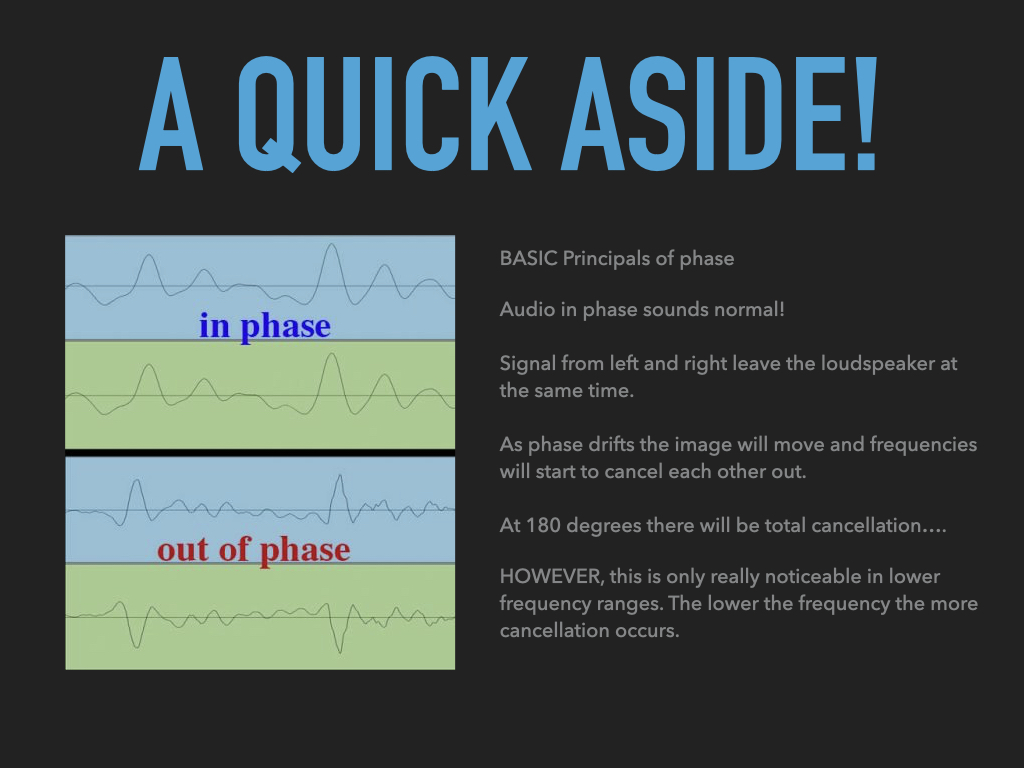
Day 3: Step up to more advanced operations. You’ll master importing various audio types, using advanced navigation tools like Tabbing to Transients, adjusting track views, and creating markers to streamline editing.

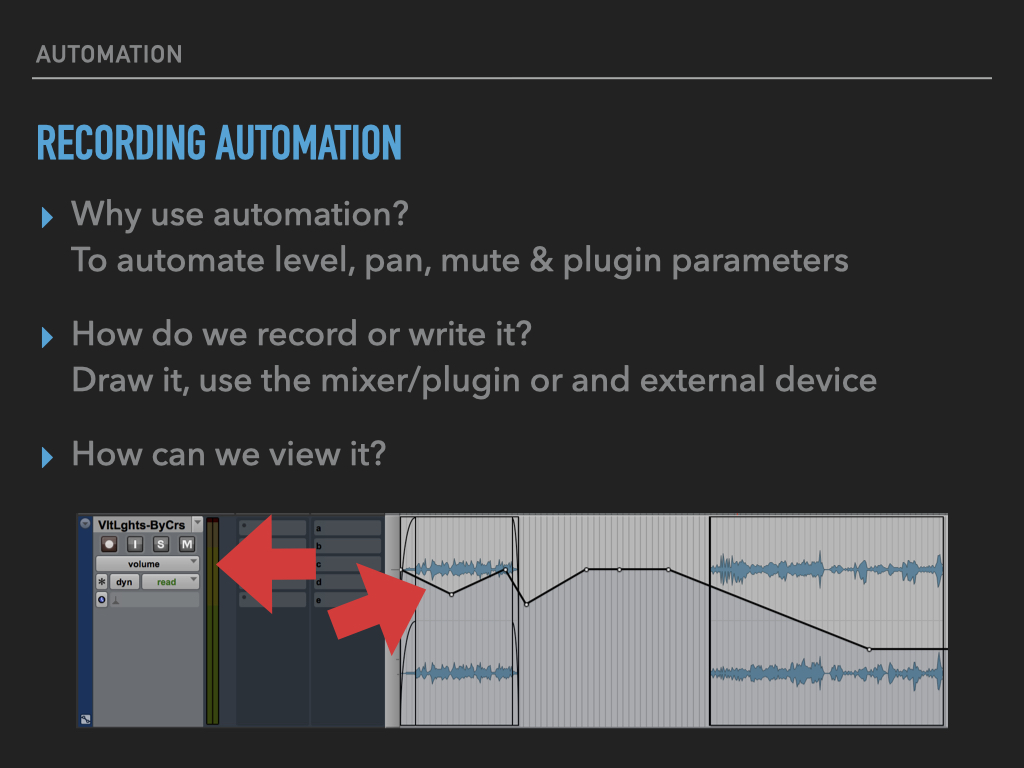
Day 4: Learn about mixer terminology, automation, and plugin handling for broadcast-quality mixes. You’ll finish the day understanding archiving, backing up sessions, and efficiently bouncing final deliverables.
Supplemental Topics: Explore EQ strategies, compression techniques, and reverb application tailored for your soundscapes. You’ll also learn about loudness standards—crucial for consistent volume across your choosen delivery platforms—and best practices for delivering sessions to collaborators or clients.
Optional Add-On: If you’re venturing into immersive audio, learn how to integrate Dolby Atmos or binaural mixing for cutting-edge immersive experiences.
Investment & Next Steps
Whether you’re an individual creator, a growing team, or a business looking to level up your audio production, there’s a training option to suit your needs.
Choose from a self-paced course, live group workshops, or fully tailored training—each designed to give you the skills and confidence to create professional-quality audio, efficiently and creatively.
For individuals or teams seeking something more specific, I also offer custom training designed around your goals, workflows, and content. Remote and on-site options available.
In addition to the training sessions, participants in the live and team formats also receive three months of direct email access to me—a professional sound designer, mix engineer, and Pro Tools Certified trainer—for continued guidance and support.
If you’re ready to take your content creation to professional standards, Pro Tools for Creators delivers the tools, techniques, and clarity to get you there. It’s not just training—it’s an investment in your creative future.
Have any questions about course details, scheduling, or additional benefits? I’m here to help. Let’s connect and chart the path to turning your content into an audio experience your listeners won’t forget.